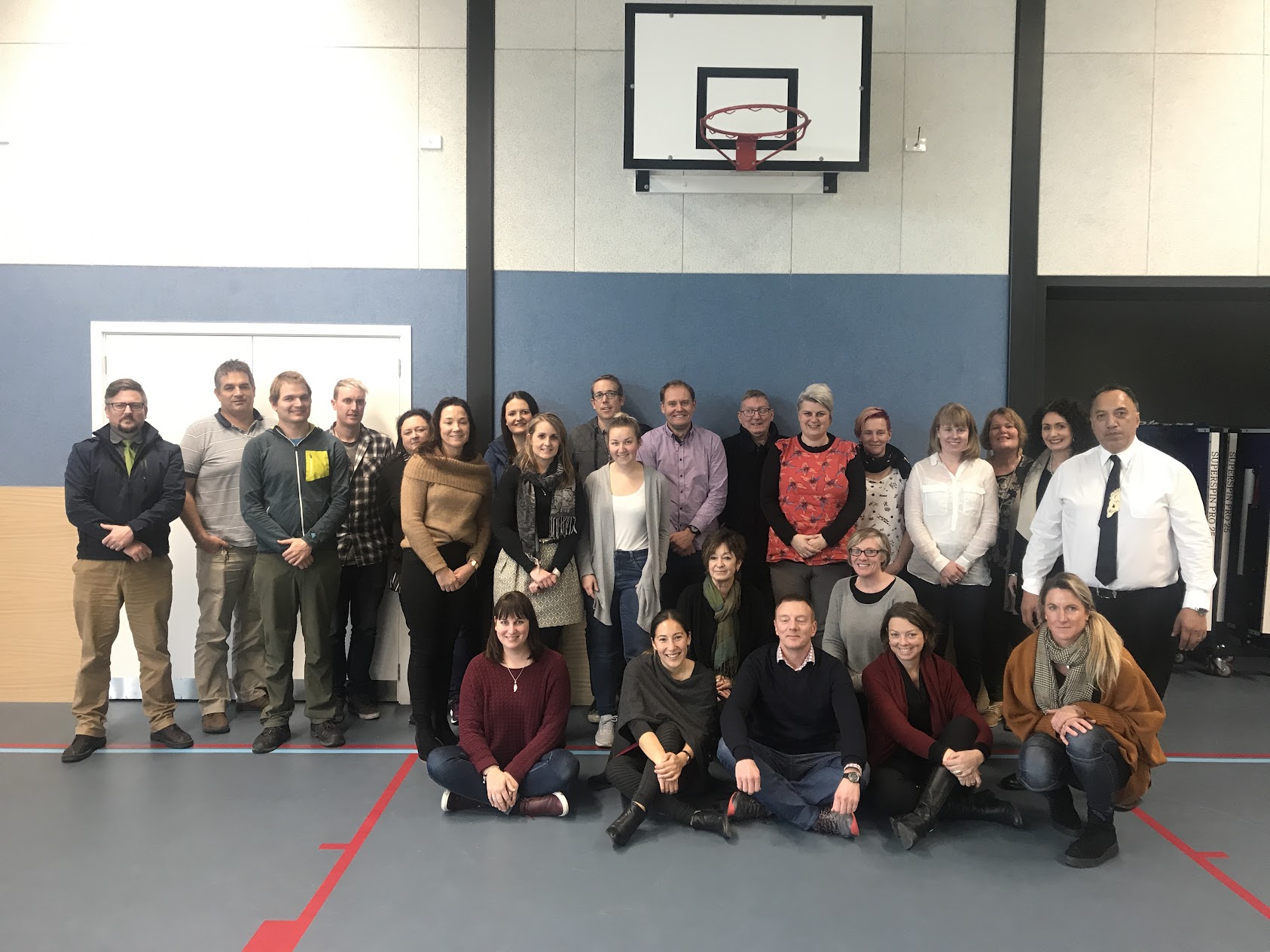
Tuesday, 30 July 2019

DFI 2

Google Hangouts v Google Meet. 

Hangout effectively means that you can share your screen with the others in the group, whereas Meet is just video.

Etiquette

Noise within the group. Muting your microphone is crucial! The screen changes according to who is making noise... so if you are a foot-tapper or fidgeter (I am!!!) this could be quite disruptive and frustrating for the other members of your group.
Headphones reduce the amount of feedback so sound quality is better with them. I quickly realised that I need headphones for my laptop! - My iPhone ones arent compatible! If using a laptop and phone, there is a delay between you talking and hearing.

Manaiakalani Pedagogy - Ako.

Effective teaching. Accelerated Learning.

Our DFI Goals:

3. Our teachers are supported to understand how digital technologies used effectively can have a significant impact on accelerating achievement outcomes.

4. Our teachers are supported to understand how the Manaiakalani pedagogy and kaupapa has been co-constructed over more than a decade to maximise the impact of effective teaching and learning in a digital learning environment.

It's all about Increasing teacher effectiveness and accelerating learning outcomes in this digital environment. Supporting teachers to move from analogue to digital.


We need to be recognising the amazing things happening in our Kura and Amplify its impact by sharing it out. 
Turbocharge - doing things that have never been done before.

Challenge: What teacher actions are promoting student learning?

What does LEARN (effective practice) look like in my school? (Recognise Effective Practice).


What are the programs in our school that make learning happen? 
Great teaching + digital affordances =acceleration.

I'm reminded that I need to be more conscious when designing my reading experience, that I need to be including more text for general consumption.

I've been touching on the SAMR model (Dr Ruben Puentedura), for a number of years now. I really liked this link into Blooms, as I'm mindful that a number of teachers still refer to Blooms. 


Manaiakalani Google Class On Air

Teachers have webcams in their classes and are capturing learning online. You can look at them and see effective practice in action.

Google Keep

Found on the sidebar of Slides, Gmail, Calendar, etc is Google Keep. Another game changer! Even more fantastic... having it connected on your phone. With your phone, you can add voice notes. You can also take a photo of text, open it in Google keep, click the 3 dots... grab text and HELLO... it types it for you! Think about handouts in meetings/conferences... School Journals... so many different uses.

Gmail

We learned about a number of features to create a better workflow with your Gmail.
- undo send! You can change your settings so that you can retrieve a sent email within up to 30 seconds.
- Smart Compose (Tab to enter... on phone just tap at the end of the sentence.)
- Nudges... keeps me on my toes.
- Smart Reply - Great for responding quickly to acknowledge that you've seen it.
- Stars - I was running just a yellow star. Now I've got "All-Stars"... game changer!!! I can have different colours as well as a few different buttons. I'm using these to quickly sift emails I need to go back and action etc.
Keyboard shortcuts...
- G+T = Sent box
- G+V= Moved to
- G+S + Starred

We also created Labels to tame the inbox. We do it for our Google Drive, so it makes sense that we would our Gmail too.

Calendar

W discovered a number of previously unknown Shortcuts:

D - Day view
A - Agenda
W - Week view
x  - 4 weeks
in month view - J = previous, K =  next month

Create "Appointment Slots" - set the timeframes and then send it out. This would be fantastic for inviting people to make a suitable time for professional discussions etc.

Controlling Tabs

One Tab 

- Great for taming tabs!!! Clears them from all being tabbed. I for one am terrible qat running a ridiculous number of tabs on a number of windows... potentially even multiple personalities!
- Great to "lock" the list so that they stay there. Can get rid of the work tabs, without actually getting rid ot them.

Toby - mini

Collects them under collections. Easy grouping when running a lot of tabs at once. More visual than just the tabs at the top. I am loving this one! I can group my tabs according to "Planning", "School Leader" stuff and just having a play in general.

Other Handy Tools:

Colour picker
Colour Zimmer

Extensity Extension... to turn extensions on/off when not being used.

QuickTime Player

Today was my first time using QuickTime Player to record our groups' discussion. It served as a great reminder of what it's like to be in the sandpit getting stuck! I had thought that the first member of our group was silent... perhaps muted... alas no. I hadn't increased the sound for recording!
The next trick for young players arose when the sound feedback was becoming phenomenal. We need to be very mindful of where our microphone is located in relation to our device. One example was with the earbuds. Wearing one, with the other dangling, caused huge feedback. Also, the microphone being too close while holding up the laptop.

Please don't be brutal with our recording... It was the first time for all!!!


Tuesday, 23 July 2019

DFI Day 1

Dorothy Burt kicked off our day with a recap of the kaupapa and pedagogy of Manaiakalani. It was a great reaffirmation of why we do what we do; why we are challenging the way that things are done; and why there is a responsibility to up our game. The rationale is a no-brainer. The data is there to show that it works. The misunderstandings that prevailed by naysayers, such as "it's a digital thing" or "it's a senior school thing", are hopefully drifting to the wayside now.

What did I learn that could improve my confidence, capability or workflow as a professional?

Google Groups

Streamlining communication.
A really easy way to go in and see all emails sent & received within that group, without all the others interspersed. Labels can be added to the emails, e.g. "agenda", making it easier to navigate looking for the right message.
For a parent group, there's no need to BCC like you do in contacts, as all addresses are automatically hidden. Parents would receive the email in the usual way. There's no confusing system for them to navigate, however, if they wanted to they could navigate into groups to see what has been sent through the group.

Underestimating Docs

For so long, we have sent the message to kids of not defaulting to a Doc. To use a Google Drawing or Slide or something more creative. It's been easy to forget that Docs can be a little more creative than just typing up minutes for meetings.

Chrome 

  • Cleaning up User Profiles in Chrome.
  • Tweaking the bookmarks bar to make it more streamlined and user-friendly.
  • Tips and tricks for getting the most out of your omnibox.
  • Jumping between tabs quickly.

Google

  • Organising your drive and the way things are filed.
  • Sharing Folders and Documents in a more effective way, particularly when there is shared ownership.

Chrome Extensions

I've added a number of new useful add-ons and chrome extensions to use within the classroom. 

What did I learn that could be used with my learners?  

Voice typing

I've been a passionate advocate for defaulting to voice typing for a while now, due to its ability to take out the barriers that handwriting or typing might bring. Voice typing has also shown to be improving speaking and oral language. Getting kids to read out loud, then compare the voice typed page to the page that they have read from, and asking "Why do you think it is different?". With some children, it is improving the clarity of their speech as well as their annunciation.

Insert Lifehack... Throw away Coffee cups, with the bottom removed!!! These can be used for the ākonga to speak through (aiming at their device) to minimise the impact of noise for the other learners within the learning space.

Writing prompts

We all love quick writes! The ability to create an opportunity to generate writing mileage as well as get kids excited about writing just by writing... well here's a new tool to use! The Most Dangerous writing prompt generator On the site, you have the option to "Free Write" . or be given a writing prompt. You then just start typing. It requires you to keep typing or the timing bar first changes colour, and then your print disappears, with the banned "You Failed" appearing on the screen. It challenges you to write continuously for 5 minutes. If you "fail", then there is the option of downloading what you've already done, so that it's not entirely lost forever. Obviously, for some kids it just won't work... but for those that may thrive on the challenge of being able to continuously write then it could be a great option.

remove.bg

A quick new tool to remove background for an image = remove.bg in the omnibar.
 
I could see this being great for kids to place an image of themselves in another place when writing about it. 


What did I learn that could improve my confidence, capability or workflow in my personal life?

The Underline is dead!

If you're using underlining, you're showing your age! If there is a line under it, there's an assumption (particularly for our learners) that there is a link to click. They will click and complain that it doesn't work, rather than reading through. It is a policy of assent for their way of being.

So many quick keys and streamlined ways of doing things!


Saturday, 20 July 2019

Let the Digital Fluency Intensive Journey begin

 After opening my blog to copy the link I realised just how long it has been, and how remiss I have been since I last published a blog post!

Two terms have passed this year and what a year it has been so far! Term 2 went by in a whirl, with the benefit of having a Grad School intern to enable a lot of extra testing and teaching to take place.  I have experienced some of the highs and lows in my teaching career. 
A highlight has been our school Multicultural day, seeing a student get up and sing his beloved Fijian National Anthem, with Mum brought to tears. So proud. I've seen akonga get stuck in and become excited about learning. They've really leapt on board with the transition to digital learning and grasped the benefits it brings.
My low was the loss of a student. One of the kindest gentlest souls I have ever had the pleasure to meet. A child who naturally leapt in and helped, evading being seen to be doing it and not seeking praise. His massive smile, beautiful singing voice, and killer Fortnite dance moves will not be forgotten. A child that just wanted to be at school.

Looking ahead towards the beginning of term 3, I can't help but feel I'm hitting the reset button. I've spent a fairly selfish two weeks of non-contact time, just recharging and ensuring a bit of self-care. 

This term I am excited to be taking part in the Digital Fluency Intensive. I see it as a fantastic opportunity to both up my game as well as share my learning within my Kura.


Monday, 11 March 2019

Leadership Matrix

As a School Leader, the Teaching As Inquiry emphasis for 2019 is on Leadership. Here are two key readings to kick things off, redefining the school as a Professional Learning Community.

From The Leadership Dimension Matrix - 2017
The Leadership BES 1 identifies five dimensions of leadership that have been synthesized by drawing together bodies of research evidence to explain what works and why to improve valued education outcomes. From this we have constructed a matrix of four stages, progressive for each of the five dimensions that allow leaders to identify their learning needs and to measure progress over time. 
There are three capabilities that are woven through the dimensions, namely, knowledge of effective pedagogy, analyse and solving complex problems and building relational trust. These capabilities are not described in this matrix but are essential elements of good leadership. 
The term ‘leader’ is used in the broader sense of the word. A leader may be the principal, a leader in charge of curriculum, or anyone with leadership responsibility within the school. 
The matrices are designed to measure the kinds of knowledge, skills and dispositions implied by the dimensions of effective leadership.
Looking at Dimension 4, I have self-assessed where I believe I'm at, in terms of Leading learning and development.

I have identified the bottom aspect as my area of Teaching Inquiry for this year: "Understands collective responsibility and accountability and how to foster it.

Wednesday, 5 December 2018

2018 Term 4 Uru Manuka SLAM

My Inquiry focus has been:
“How might explicit teaching of Critical Literacy accelerate writing progress?”


What did I do? By having multi-level groups, akonga were able to discuss their ideas, without being limited by their decoding ability. (This was helped by speech to text, The Read Write App etc). This meant learners were able to discuss ideas and challenge others thinking, in ways, they're often not able to do when limited by colour wheel text ability.

Key Reference
By Aaron Wilson & Rebecca Jesson from the Woolf Fisher Research Centre


  • Why Multiple texts -More reading requires synthesis and comparison
  • It provides a scaffold for developing transferable reading knowledge.
A lot of the groundwork was in the reading aspect of literacy, however, due to the synthesis and comparison, they were able to record their discussion ideas in the form of writing.

What’s next? Explicitly teaching critical thinking and critical literacy. The akonga need to be better at differentiating between fact and bias as well as considering the reliability of the source.

Monday, 13 August 2018

The interdependence of leadership and followership

Enhancing authentic leadership-followership:
Strengthening school relationships To be a leader, you must have followers.
Image result for carolyn crippen uvic
Carolyn Crippen, from the University of Victoria, BC, Canada describes leadership as the act of motivating a group of people to act towards achieving a common goal. She describes the inter-relationship and interdependence between leaders and followers, as each without the other cannot exist.


Kelly (1992) describes seven follower paths:

  • apprentice, 
  • disciple
  • mentee
  • comrade
  • loyalist
  • dreamer
  • lifeway’ 

Within Schools, here are certain ‘rules’ that staff follow related to issues of safety, for example fire drills, bomb threats, earthquakes. These could fall under the follower path category of disciple. Others want to change themselves through personal growth (mentee). Each year, teachers develop a Teaching Inquiry to strengthen their teaching practice in the classroom. New teachers are assigned a mentor to guide them and act as a resource, especially in their first two years in the classroom. There are also interpersonal and intrapersonal goals of staff. Some aspire to lead. Apprenticeship, is directed toward mastery of specific administrative skills. Comrades enjoy bonding together where many talents are needed to accomplish a goal, such as in a curriculum development committee. Some people follow out of personal loyalty to the leader. Dreamers follow their own ideas, their guiding force, not necessarily those of the leader. Such staff are ‘outside the box’ and may ‘do their own thing’. The last path is that of the lifeway. They are convinced this path of service or helping others provides the best or most satisfying way of living.

I tend to agree with Greenleaf (1977) who suggests that as individuals we are all actually on a continuum during our lifetime. At one end of the continuum is leadership and at the other end is followership. We move back and forth along this continuum during our lifetime and neither one nor the other is better. It is only when we stop moving along the continuum we stop growing and learning and remain in the status quo.

The author posed the following questions to individual school staff members within a district. Roles ranged from administrative, support staff, teachers and principals.

  1. What is your greatest strength?
  2. How have you used this strength in your daily life?
  3. What is your greatest area of weakness?
  4. How has the weakness caused you problems in the past?
  5. Describe a situation where you were leader.
  6. Describe a situation where you were follower.
  7. Have you a preference? Leadership or followership? Explain your choice.
  8. Describe a situation where you relied upon your moral and/or ethical leadership to deal with a difficult decision?
  9. How do you prepare to make a decision?
  10. How do you react if the decision turns out to be wrong?


The process enabled them to learn about each other. They were able to build stronger teams, understanding the strengths within the group. Answering these questions also empowered the group members to better understand themselves and their values. From the beginning, the participants were reminded to only say what they were comfortable expressing and sharing. It's extremely useful for all school staff to become aware of the various ages and stages, strengths, challenges and values of the members of their group. This can only strengthen the connections that bind a school together.

Time is a huge restraint in our job. It's something that we seem to constantly be fighting and prioritising the things that we give attention to in order to fulfil our many roles. Self-reflection often falls to the bottom of the priority list as we check off all the physical tasks n our To-Do Lists. Questions that encourage respondents to ‘consider their individual sense of themselves, but also their sense of themselves as a community of educators, learners, and support staff’ (Starratt, 2011: 67) can promote reflective thought.

A small sample of the feedback from the previous self-discovery questions included:

  •  A good leader must be a good follower and a good listener.
  • Use your strengths to help rectify your weaknesses.
  • Involve students in having leadership-followership roles in the classroom. Talk about them. How did they feel as a leader? How do they feel as a follower?
  • Leaders and followers are both part of the whole puzzle that makes up our school.
  • The importance of self-awareness, listening to others, sharing decision making, valuing dissonance.
  • I can be myself and I have lots to offer my school community.
  • The roles of leaders and followers constantly change.
  • To continually remind myself of students being on a continuum at the same time as I am.

These responses seem to support the use of such activities and the investment of time in each other.

Wheatley (2005) believes that without ‘shared beliefs and desires, people are not motivated to seek out one another and develop relationships. Instead, they inhabit the same organisational and community space without weaving together mutually sustaining relationships’ (p. 102). Some questions in a professional development session that focused participants on understanding each other were suggested by Baron (2010):


When you think of your life’s story and how it unfolded, what people, experiences, or events were critical to your development? (p. 28)
And,
To recall these defining moments, take a walk through the stages of your life, from early childhood, to adolescence, to young adulthood, to the present moment. You could have experienced these defining moments as either strongly positive or difficult, even negative. What thought and memories come to mind? (p. 28)

Issues of listening, persuasion, partner inputs and inclusivity of all school stakeholders with an overall recognition and appreciation for individual voice can nurture the entire school environment. "When we give another person our attention, our time, we actually honour them and value them by this action" (Sergiovanni, 1992).

Schools are all about relationships, and relationships are developed, in part, through caring, listening, trust, honesty and collaboration. They are about reaching out to each other first, by trying to understand and being true to ourselves (authentic) and then by trying to understand and appreciate our colleagues.

Baron, T (2010) The Art of Servant Leadership: Designing Your Organization for the Sake of Others. Tucson, AZ: Wheatmark.

Greenleaf, R (1977) Servant Leadership: A Journey into the Nature of Legitimate Power and Greatness. Mahwah, NJ: Paulist Press.

Kelly, R (1992) The Power of Followership: How to Create Leaders People Want to Follow and Followers Who Lead Themselves. New York, NY: Doubleday Currency Publishers.

Sergiovanni, T (1992) Moral Leadership. San Francisco, CA: Jossey-Bass.

Starratt, R (2011) Refocusing School Leadership: Foregrounding Human Development Throughout the Work of the School. New York, NY: Routledge.

Wheatley, M (2005) Finding Our Way: Leading for Uncertain Times. San Francisco. CA: Berrett-Koehler.

Monday, 6 August 2018

Learn Create Share meets Concept Based Curriculum

The goal for the day was to bring clarity to the pedagogical phases of Learn Create Share in a concept based curriculum.
Kate, our concept based curriculum facilitator, worked with Nicole (from our Junior Hub), Hayden (my 3rd Year UC Student) and I for the day to get some cohesion around how these two philosophies could cohabit within framework here at our school.

To begin, we had to ensure everyone in the room had a shared understanding of what "Learn" "Create" and "Share" meant. We did this by watching the video's from the Manaiakalani site.

We looked at the Backstory, to understand the why behind the concept.
Backstory
We then explored each aspect one by one.
Learn
Create
Share

There was a great deal of discussion round what teachers would be doing within each aspect, also what the akonga might be doing. We had a dialogue around what language was used when we were working within the framework, and that I refer to them as phases, but was there a better term? A message was put out to the school leaders to see what others were saying and doing.

We need to begin to use this language. With our older learners, we can be asking which phase of LCS are we operating in.

Math… is it predominantly in the Create phase?

When talking about concept based curriculum, validity of information was talked about. Resources which fall into two categories:
  • Primary Resource - the person who was there at the time.
  • Secondary Resource - second-hand information.
From the session, these visuals were created to demonstrate our understanding: